-
What’s new in XSD 1.1
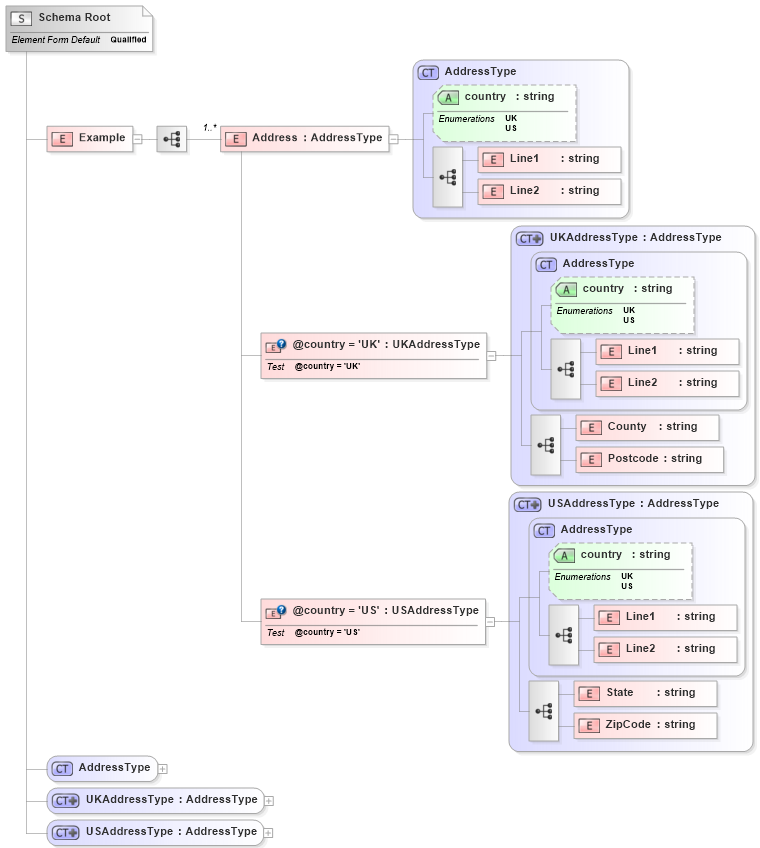
The XSD 1.1 standard improves upon XSD 1.0 by introducing features for better validation and extensibility, such as xs:alternative for value-driven typing and xs:assert for cross-field validation using XPath. It remains compatible with XSD 1.0, allowing existing schemas to work seamlessly without upgrades. Enhanced capabilities support complex business rules effectively.
-
How to post support questions on StackOverflow

We are excited to announce that we are using StackOverflow as our community support platform. Users can post questions tagged ‘liquid-xml’ for quick assistance from our support team. For private matters, such as proprietary information, please raise a support ticket, but we encourage community-visible queries for broader benefit.
-
Convert Empty String to Null in Data Mapper

A new knowledge base article titled “How to Convert Empty String to Null in Data Mapper” has been released. It provides guidance on transforming empty strings into null values within Data Mapper.
-
Element vs complexType
In XML schema design, an element must be defined when an XML document requires it, ensuring its validity. Use complexType when the structure can be reused or is complex. It’s best to distinguish between types and elements for clarity, adhering to best practices for reusable components and attributes like “nillable.”
-
How to create XML Schema from XML Documents
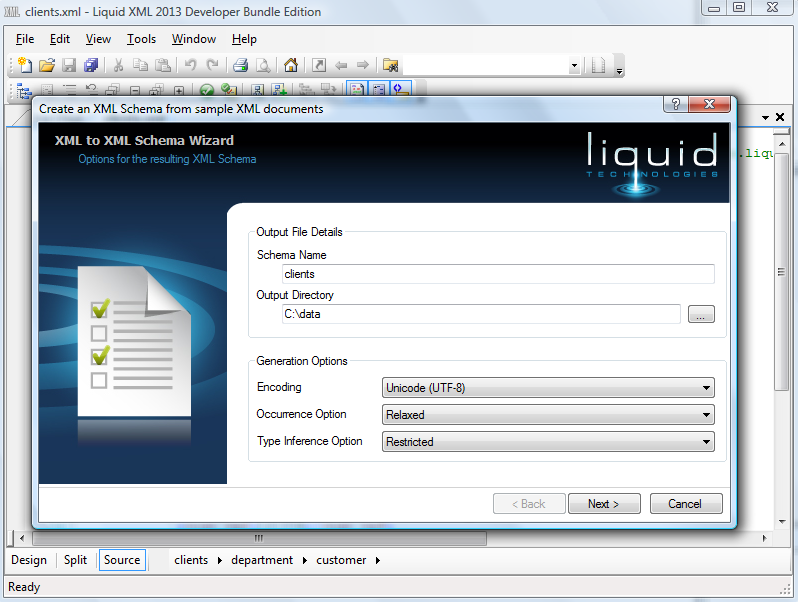
Liquid XML Studio offers a user-friendly Wizard to create XML Schema (XSD) directly from XML documents. This tool simplifies the process of defining validation rules for XML, enhancing accuracy and saving time. Users can define schema names, add sample XML, and validate documents, improving the reliability of the schema.
-
How can I get an XML Schema (XSD) from SQL Server?
To obtain the XSD for the ‘Order’ table, use the query: Select * from [order] where ID < 0 FOR XML AUTO, XMLSCHEMA. This approach ensures that the XSD is returned since the WHERE clause conditions prevent any order records from being retrieved.
-
New Liquid XML Online Demos
The new online demos for Liquid XML Studio 2010 enhance understanding of its powerful features, including XML data binding, code generation, and graphical editors for XSD schema and WSDL. These resources aim to simplify the learning process and improve user experience with the software’s capabilities.
-
XML Schema Tutorial
The XML Schema Tutorial on our site has received excellent feedback for helping users understand XML concepts while utilizing our XML Editor. We have addressed some grammar issues, and we encourage newcomers to XML to explore the tutorial for a better learning experience.
