

MySQL Database is now supported in Liquid XML Studio 2015 (v13.0.6).
In order to connect to MySQL, you must first download the ADO.NET driver for MySQL called Connector/Net. This can be found at the MySQL web site: http://dev.mysql.com/downloads/connector/net/
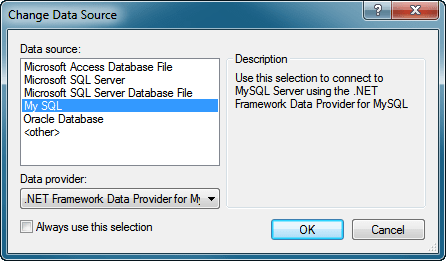 |
| Change Data Source |
One you have installed Connector/Net, if you run the Database Connect command from inside Liquid XML Studio you will see the option to create a connection using the MySQL provider.
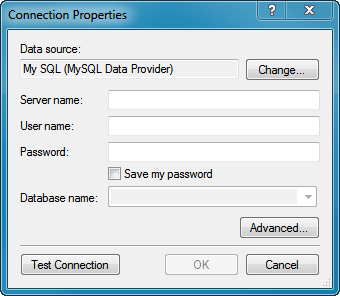 |
| Connection Properties |
After selecting the My SQL Data Source option, you will be presented with the Connection Properties dialog, allowing you to enter the connection details for the MySQL Database you wish to connect to.
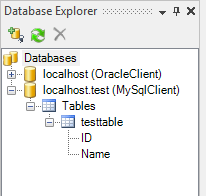 |
| Database Explorer |
On creating the connection, when you look at the Database Explorer window inside Liquid XML Studio, you will see the MySQL database listed. You can expand this to display the tables and columns within the database.
This database connection can now be used as a Data Source within the Graphical Data Mapper.