-
Liquid Data Mapper – Copying Data
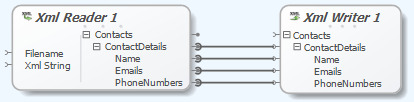
The Liquid Data Mapper simplifies complex data transformations. Users can easily copy data from an XML source file to a target file. The ‘Copy Recursively’ function connects matching child items automatically, streamlining repetitive tasks.
-
Liquid Data Mapper – Debugging Transforms
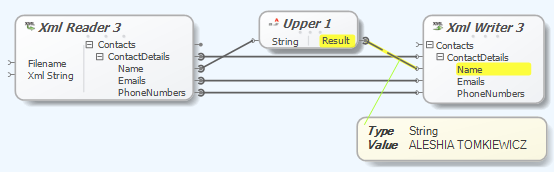
The Liquid Data Mapper simplifies complex data transformations, but understanding basic concepts is essential. The step-by-step debugger allows users to identify issues during transformation processes, with functionalities like breakpoints (F9), running (F5), and stepping through (F11) for efficient debugging.
-
Mapping EDI Data in Liquid Studio 2017
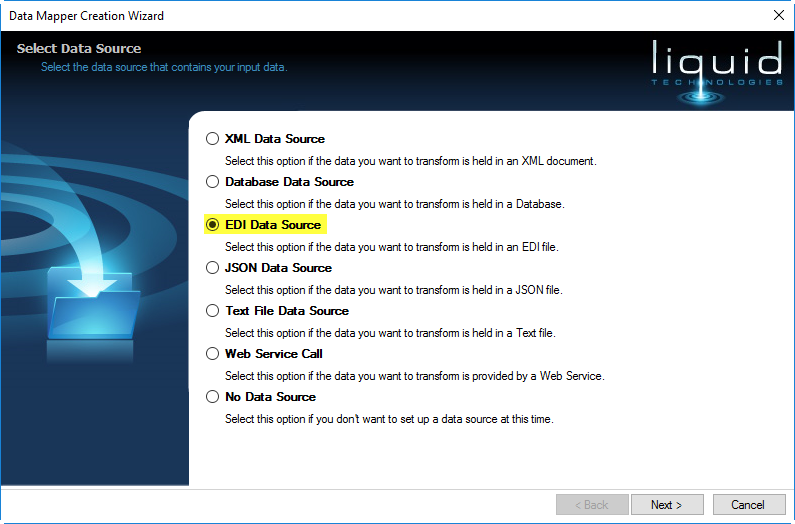
Liquid Studio 2017 Data Mapper introduces new EDI Data Source and Target components for transforming EDI data across versions, extracting data, and creating documents. The Data Mapper Creation Wizard helps users select schemas and parsing options while offering various transformation components, allowing extensive data manipulation and field mapping.
-
Convert Empty String to Null in Data Mapper

A new knowledge base article titled “How to Convert Empty String to Null in Data Mapper” has been released. It provides guidance on transforming empty strings into null values within Data Mapper.
-
MySQL Database Support in Liquid XML

MySQL Database is supported in Liquid XML Studio 2015 (v13.0.6) through the ADO.NET driver Connector/Net. After installation, users can create a MySQL connection via the Database Connect command. The Connection Properties dialog allows entry of database details, and connected databases appear in the Database Explorer for easy access to tables and columns.
